Set Up Your Account
Follow this guide when you are preparing a user account for the first real payment session.
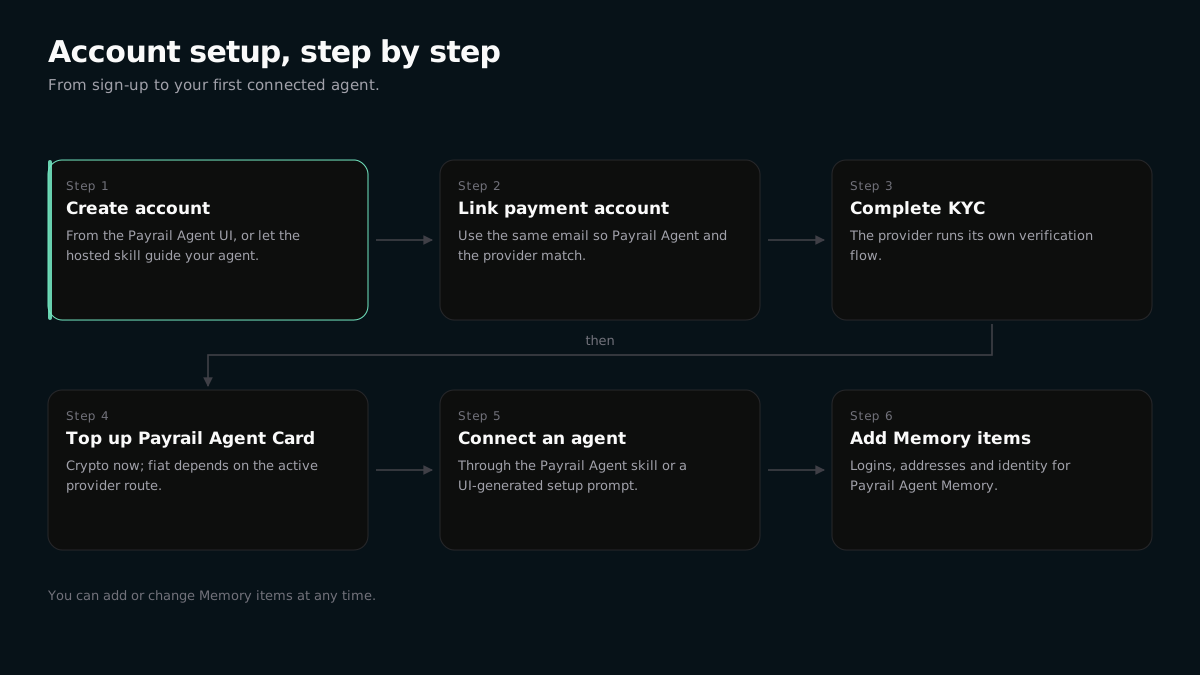
Account Flow
The user account is the authority behind agent payments.
- Start from the Payrail Agent UI or send the hosted Payrail Agent skill prompt to your agent.
- For landing setup, paste the one-line prompt that points to the hosted
skill.md. - Complete email and OTP confirmation on the runtime-native MCP OAuth page. That same confirmation authorizes the remote MCP connection.
- Create or link the payment account associated with the same email.
- Complete identity verification (KYC) in the provider verification flow opened from Payrail Agent.
- Top up the Payrail Agent Card balance. Crypto top-up is available now; fiat top-up depends on the active provider route.
- Connect one or more agents through the Payrail Agent skill or UI-generated setup prompt.
- Add public facts and sensitive Memory items that will make future payment sessions smoother.
Connect The First Agent
Send the agent Set up Payrail Agent from https://agent.payrail.one/skill.md. The native plugin opens one remote MCP OAuth flow for email and OTP confirmation, then uses remote tools for capabilities, status, and top-up.
First Payment
Ask the agent for a low-risk payment operation first, such as buying a coffee or completing a checkout page you already trust. Add more Memory and preferences as the agent learns your payment behavior.